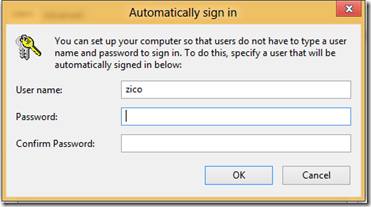
Remove Password Login from Windows 8
June 3, 2012I recently downloaded and installed the Windows 8 Release Preview and something that rather annoyed me, was having to enter my Windows Live password each time I booted my PC.
After looking through all the settings I tried the “classic” way of removing the Windows login password, which did the trick.
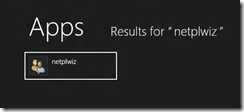
Run “User Accounts” (netplwiz)
To run the User Accounts applet, switch to the Metro Start Screen (quickest way: press the Windows key) and type netplwiz.
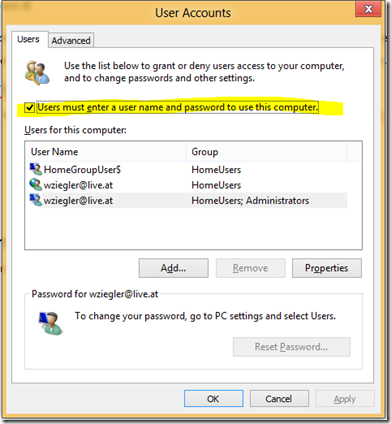
Uncheck the password option
In the User Accounts applet uncheck the option saying “Users must enter a user name and password to use this computer”.
Confirm the new setting
Close the User Accounts applet with OK and confirm the setting by providing your password.